
Designed an app to reduce friction while reading newsletter
A self-initiated reading app for people who actually read the 10–20 newsletters they subscribe to but never read them because of inappropriate structure ( spam etc )
Type
Product Design
Tools
Figma, Claude
Status
Concept
Timeline
~1 week
Context
Built for people who actually read
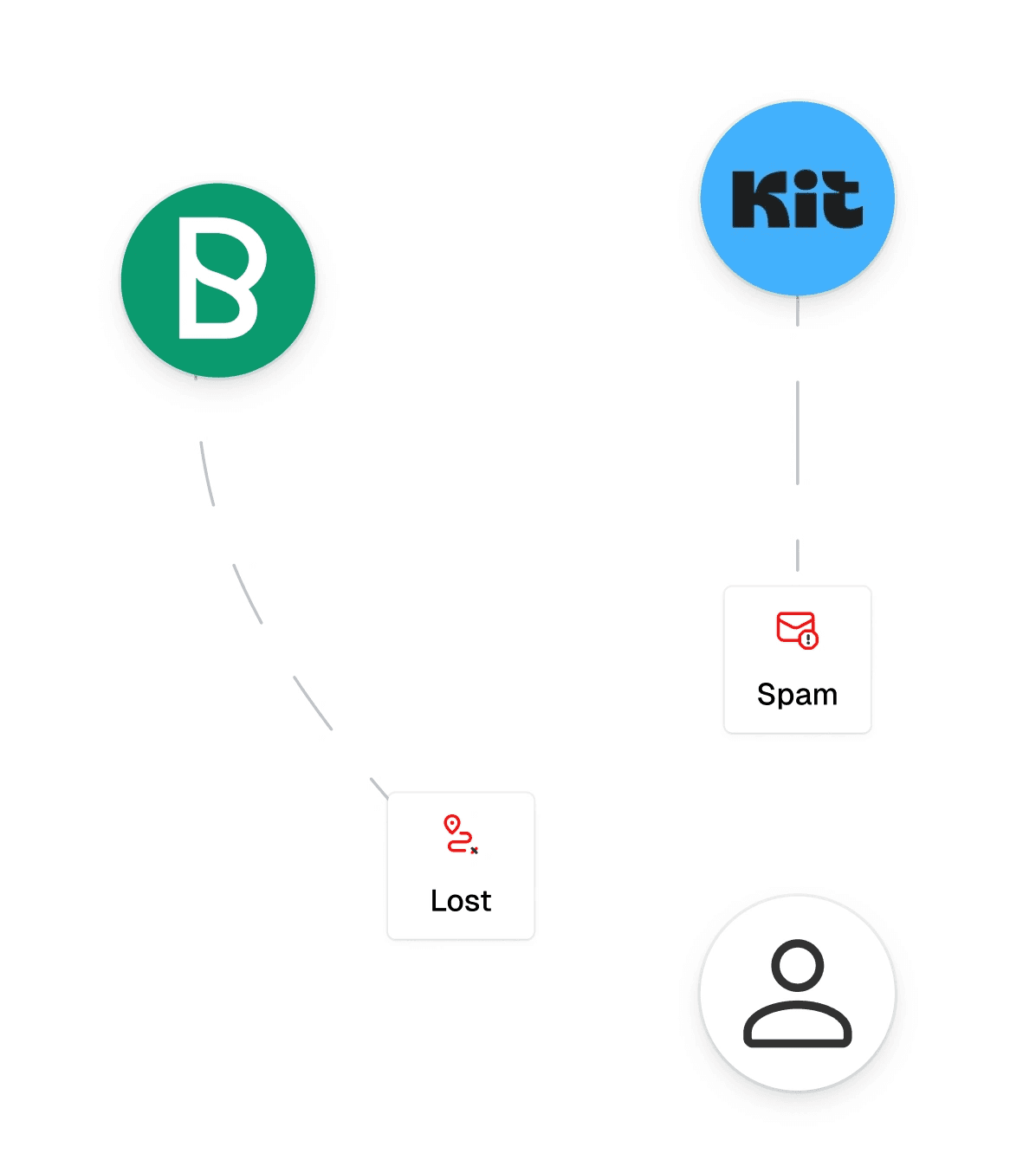
Newsletters arrive in a regular inbox. Mixed with promotions, notifications and spam, they get flagged as unwanted, forgotten, or lost in thousands of unread messages.
Pouch gives you a dedicated address for newsletters only. Everything arrives in one place, in an interface designed for reading.
Challenge
A reading-first app that gets out of the way
Pouch is a text app, its core content is long-form reading. The challenge was to strip the interface down so nothing competes with the text: keep it dense and minimal, pick the right default between light and dark, onboard without friction, handle newsletters that ship no image, and offer navigation that helps without overloading.
Process
Scope first, execution with Claude
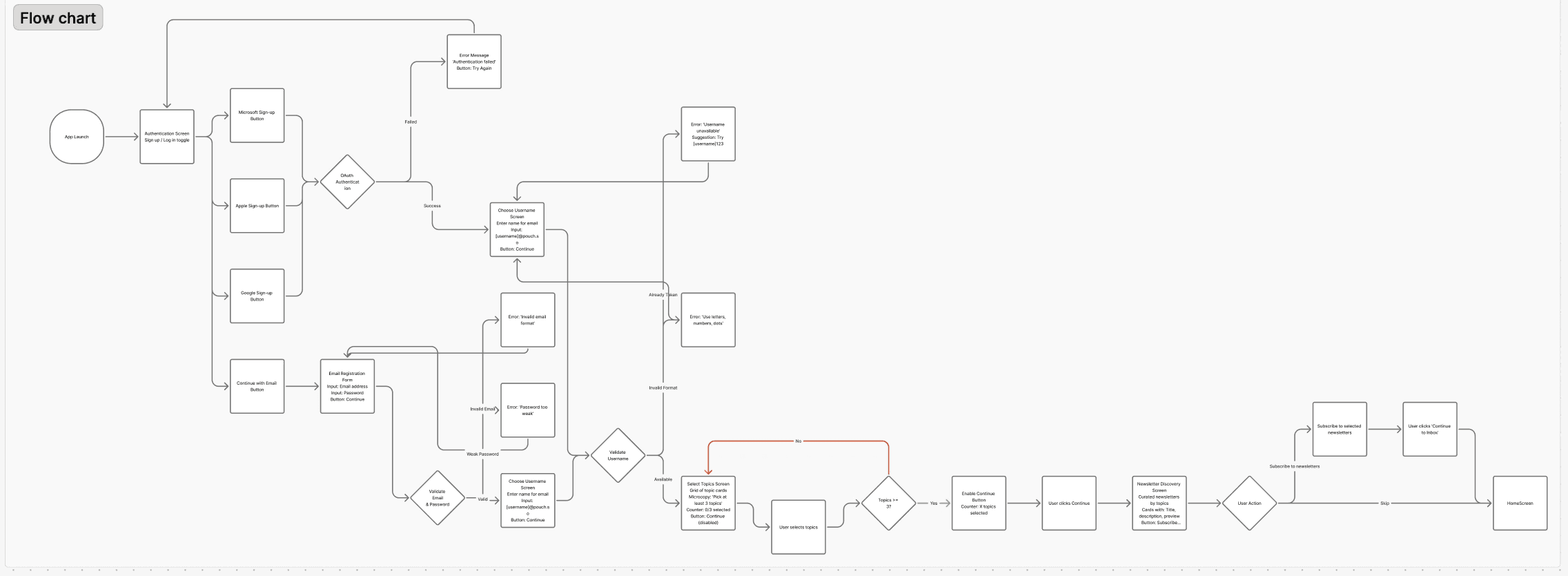
Before opening Figma, I defined the product scope: who the user is, what matters most, and what onboarding needs to accomplish. Once those decisions were locked, I used Claude to generate screens from that framework, then reviewed and refined everything myself.
The whole project took about a week, in a single focused sprint. I deliberately limited scope to 11 key screens (light + dark) rather than every possible state, going deep on the core experience, not wide on coverage. The design decisions came from me; Claude handled the execution.
Design decisions
Dense and minimal interface
Pouch is a text app; its core content is long-form reading. Every decorative element that doesn't serve that is visual noise. I kept the interface dense and minimal to leave room for what matters: text and typographic hierarchy.
I limited the width to keep ≈ 15 words per line , more feel to overwhelming, less feel a too long scroll

Light and dark mode
I treated both modes as equal, with a slight preference for light as the default. Dark mode works in specific contexts, dim rooms, occasional use, OLED screens, but for a reading app used all day, dark text on a light background reduces effort and eye strain. Dark mode is a valid option, not the primary direction.


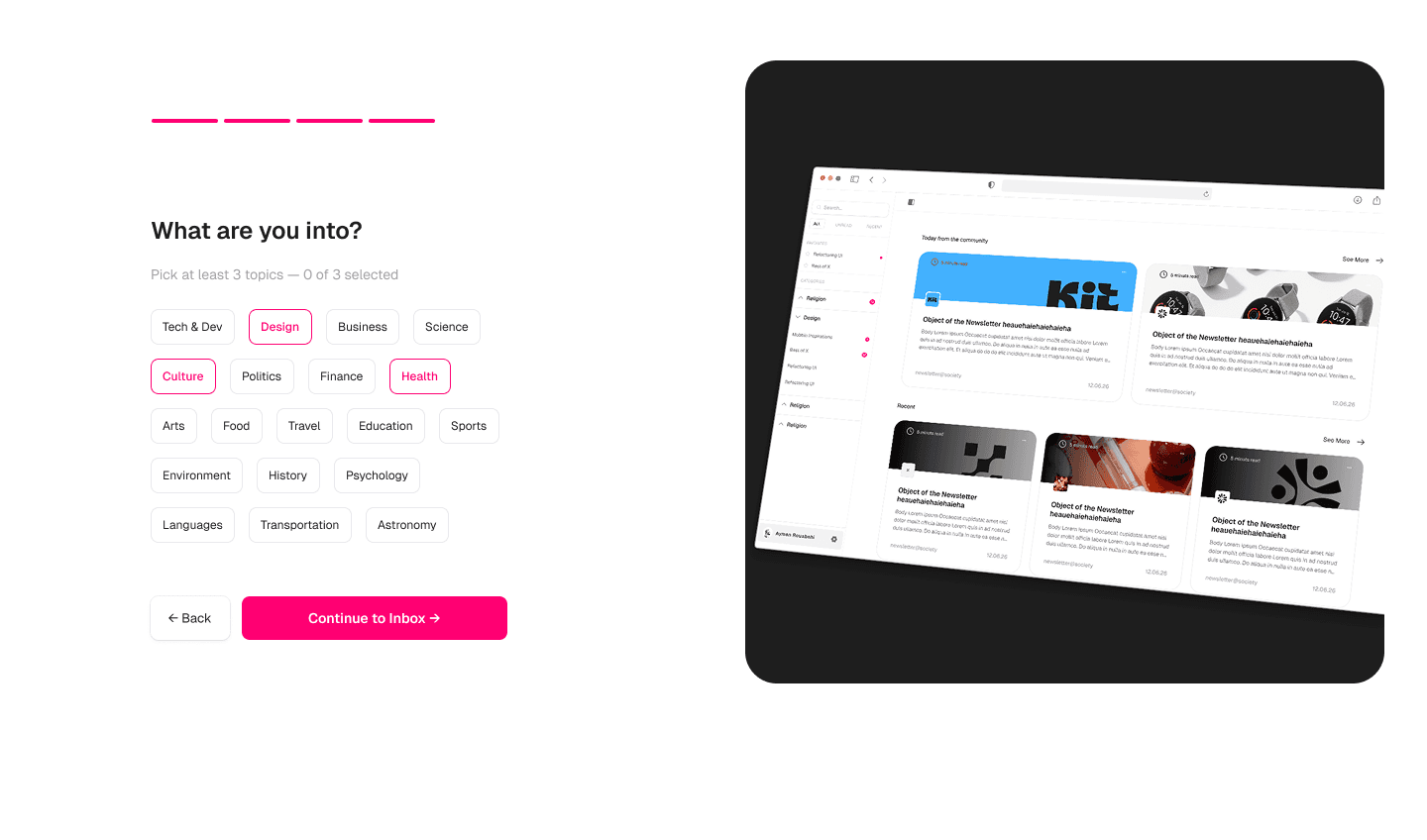
Onboarding split-screen — show before you explain
When a newsletter has no image
I evaluated three options:
— AI-generated image: not viable at scale: reading, summarizing and generating a banner per newsletter is massive cost for marginal benefit.
— Category-based visual: too generic; users lose each sender's visual identity.
— Sender logo + initials / unique-colour fallback — fast, recognizable, scalable, zero server cost.
I went with option 3: a familiar pattern, zero server cost, and the user identifies their newsletter in a fraction of a second.

Sender logo + initials fallback
Sidebar navigation
I added a search bar and 3 filters: All, Unread, Recent, the most essential ways to cover what most users need without overloading the interface.
I kept the filter selection deliberately subtle. It doesn't deserve high visual hierarchy: the sidebar already changes enough between the 3 modes that users know where they are without checking the active filter. More emphasis would create noise for little gain. What the user wants is to read, everything else should get out of the way.


Screens
Onboarding (7 steps, light + dark), Home, Inbox, Reader.


Result
Why it was useful
Pouch was self-initiated, but the process mirrors how I work with clients: define the target user, identify the highest-impact features, then design and iterate around those priorities.
The most interesting decisions weren't visual, choosing sender logos over AI-generated images, defaulting to light mode for readability, limiting the width of text to keep the user focused. Each came from thinking about the product problem first, then finding the simplest interface that solves it. That's the approach I bring to real projects: start with the problem, strip the interface to what serves the user, and justify every element that stays.
If Pouch were a real product, I'd measure
— Onboarding completion rate, % who finish all 7 steps and reach their inbox; tests whether the split-screen reduces drop-off.
— Weekly active readers, users who open and read at least 1 newsletter per week, the natural cadence for a reading-first app.
— Average reading time per session, validates whether the dense, minimal interface encourages reading over skimming.
— Newsletter-to-read ratio, % of received newsletters that get opened; measures whether a dedicated inbox solves the "lost in spam" problem.
— Filter usage rate, how often users switch All / Unread / Recent; low usage would confirm the sidebar is intuitive enough without filtering.